
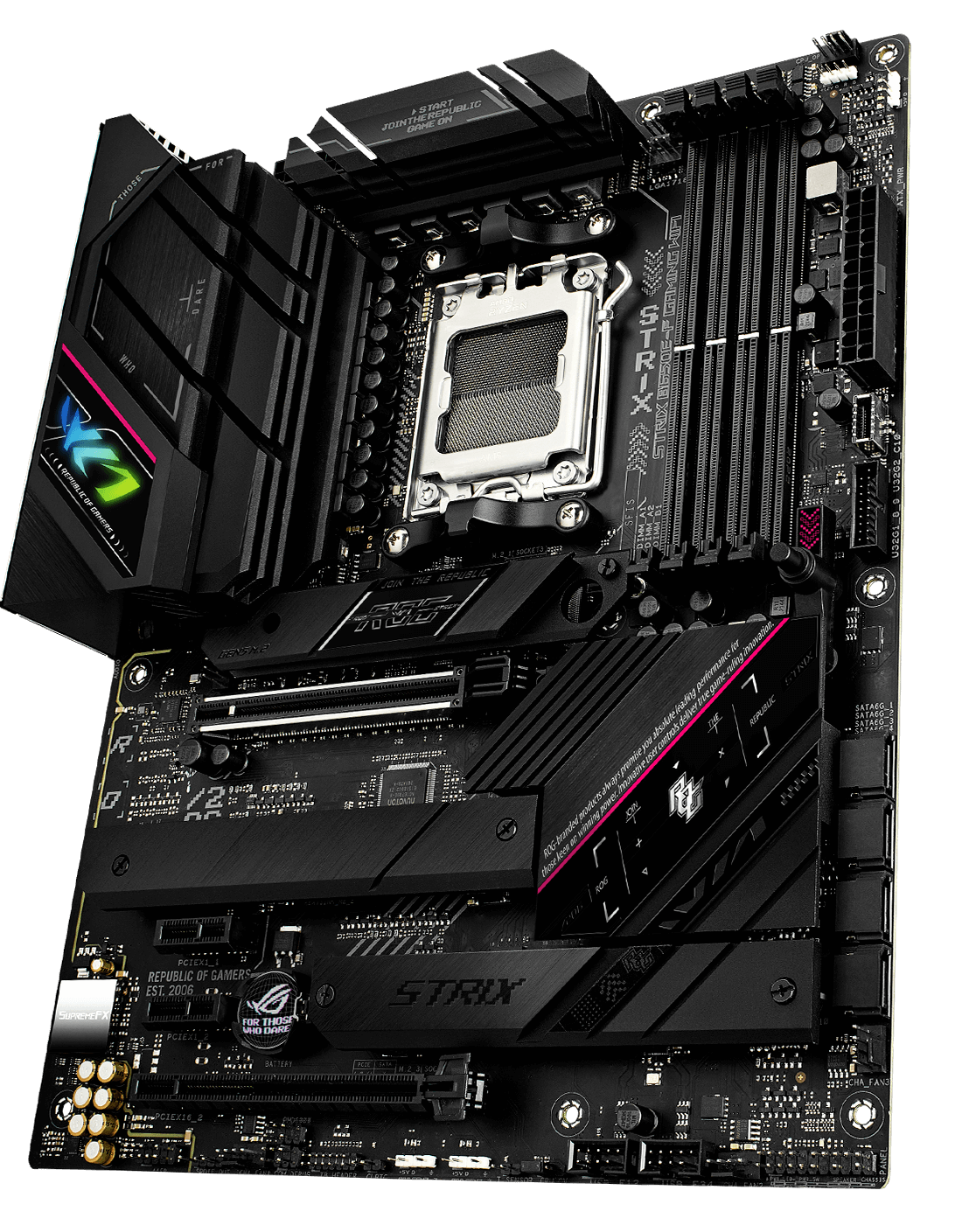
Most people building an AMD Ryzen 7000 or 9000 series gaming PC spend weeks agonizing over the CPU and GPU, then pick a motherboard in 10 minutes because they're tired of researching. That's usually where money gets wasted, either by overpaying for features you'll never use or by going too cheap and ending up with a board that throttles your CPU under load.
I've tested several AM5 boards across different price points over the past year, and the AM5 ecosystem has matured considerably since its rocky 2022 launch. The platform is genuinely good now. But the board you pick still has a bigger impact on real-world gaming performance than most people expect, and the reasons aren't always obvious from the spec sheet.
Quick picks: if you're in a hurry
Before we get into the details, here's where I'd put my own money at each budget level, based on actual testing rather than just spec comparisons.
Best overall: ASUS ROG Strix B650E-F Gaming WiFi
~$229 USD / €215
Street price, April 2026
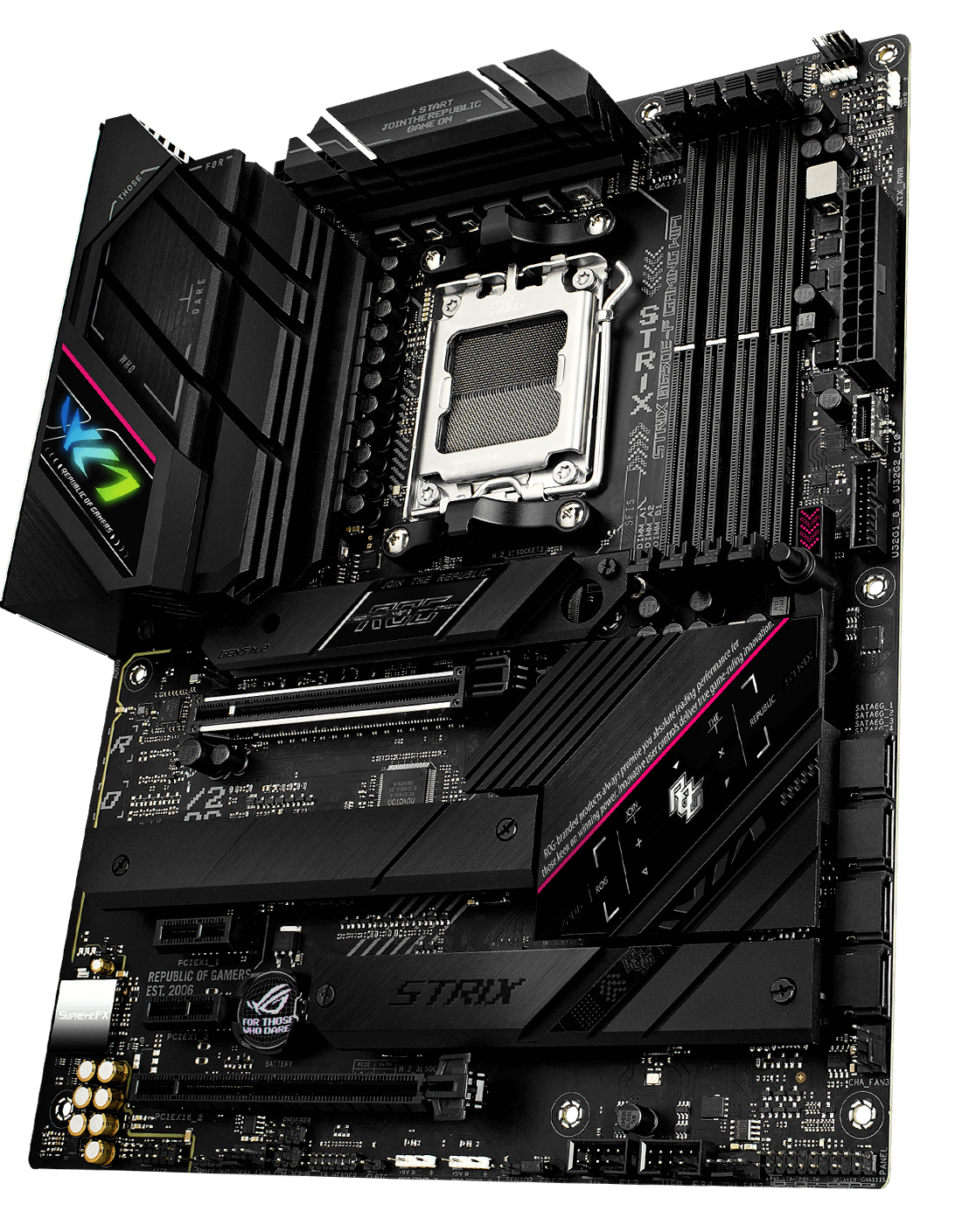
This is the board I'd recommend to the majority of gamers building on AM5 right now. It sits right at the sweet spot where you get PCIe 5.0 support, a strong VRM for overclocking Ryzen 7 and Ryzen 9 chips, and a WiFi 6E module that's actually worth using. The B650E chipset gives you everything most gamers need without paying the X670E premium.
Strengths
- check_circle Solid VRM, handles Ryzen 9 7950X without complaint
- check_circle PCIe 5.0 x16 and x4 slots
- check_circle Excellent BIOS with mature AMD EXPO support
Weaknesses
- error_outline No Thunderbolt 4
- error_outline USB-C rear I/O is only 10Gbps, not 40Gbps
Best budget AM5 board: MSI PRO B650M-A WiFi
~$139 USD / €129
Street price, April 2026
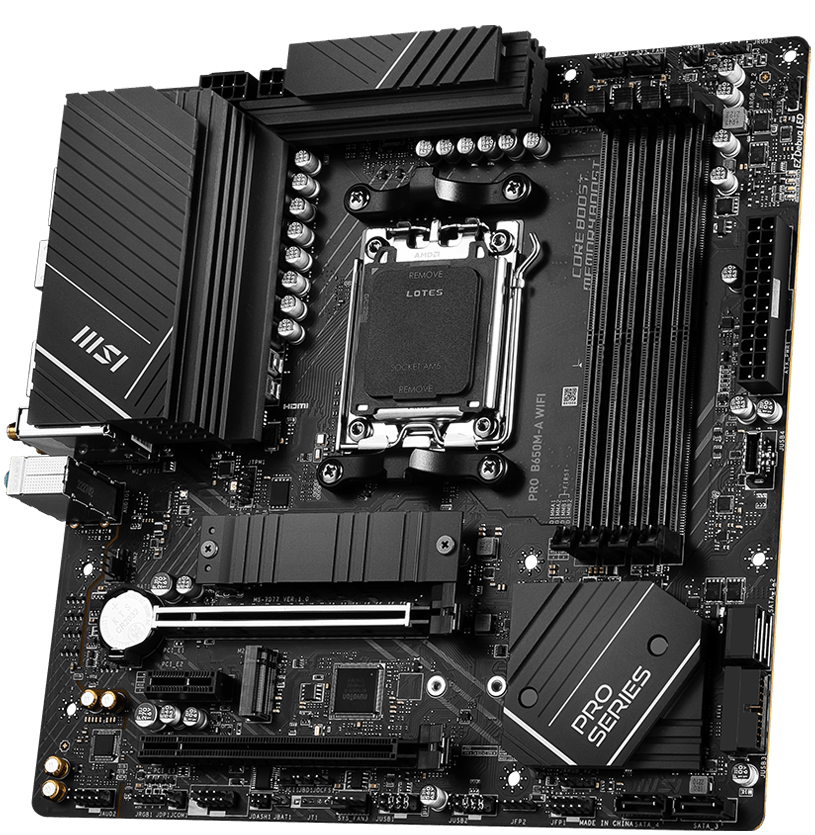
If you're pairing this with a Ryzen 5 7600X or Ryzen 7 7700X and you don't plan to push heavy overclocks, the MSI PRO B650M-A genuinely holds up. The VRM isn't impressive on paper, but in my testing it didn't throttle under sustained gaming loads at stock settings. Micro-ATX form factor, which some people love and some people hate.
Strengths
- check_circle Very competitive price for AM5
- check_circle WiFi 6 included at this price point
- check_circle Clean BIOS, easy to navigate
Weaknesses
- error_outline Not recommended for Ryzen 9 series
- error_outline Only 2 DIMM slots limits future RAM upgrades
Best high-end pick: MSI MEG X670E ACE
~$499 USD / €469
Street price, April 2026
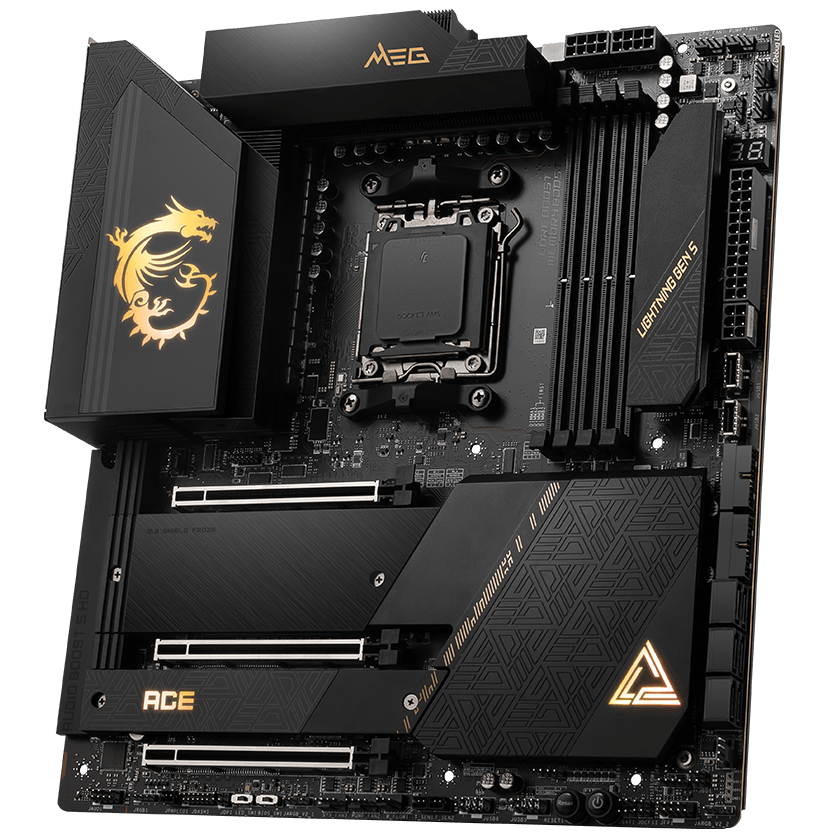
This is a board for people who want to run a Ryzen 9 9950X at full tilt and aren't interested in compromises. The VRM is genuinely overbuilt, the X670E chipset gives you dual PCIe 5.0 x16 slots, and the rear I/O is the best you'll find on any AM5 board in this generation. Is it worth $499 for gaming alone? Probably not. If you're also doing content creation, streaming, or running a workload alongside your gaming sessions, the answer changes.
Strengths
- check_circle Best-in-class VRM for extreme overclocking
- check_circle Dual PCIe 5.0 x16 for multi-GPU or future proofing
- check_circle USB4 40Gbps on rear I/O
Weaknesses
- error_outline Significant overkill for most gaming use cases
- error_outline Price is hard to justify unless you push limits
What AM5 actually means and why the chipset matters
AM5 is AMD's current CPU socket, launched in late 2022 alongside the Ryzen 7000 series. It replaced AM4, which had an incredible 6-year run. The important thing to understand is that not all AM5 motherboards are the same, because there are three chipsets sitting under the AM5 umbrella: B650, B650E, and X670E.
The "E" suffix stands for "Extreme" and it means the board is guaranteed to have at least one PCIe 5.0 x16 slot for your GPU. If you're running a current-gen GPU like an RTX 5080 or an RX 9070 XT, you won't see a performance difference between PCIe 5.0 and PCIe 4.0 in gaming today. The bandwidth headroom just isn't being used yet. But PCIe 5.0 SSDs are a different story. If fast storage matters to you, a B650E or X670E board opens that door.
Platform note: AMD has committed to AM5 socket support through at least 2027, so a board you buy today should support at least two more Ryzen generations. That's a meaningful advantage over Intel, which has historically retired sockets faster.
The X670E chipset adds a second PCIe 5.0 controller, which means more PCIe 5.0 lanes for both the GPU slot and M.2 storage simultaneously. For pure gaming, this rarely matters. For a workstation hybrid build, it starts making sense.
VRM quality: the spec most people ignore
This is where I want to spend some time, because it's the most commonly misunderstood spec on a motherboard listing. The VRM, or Voltage Regulator Module, is responsible for delivering clean, stable power to your CPU. A weak VRM doesn't mean the system won't boot. It means the board will thermally throttle the CPU when it's under sustained load to protect itself.
I've seen this happen on a $119 B650 board paired with a Ryzen 9 7900X during a 45-minute gaming session. The CPU frequencies start drooping in the background, the frame rate gets inconsistent, and most people never figure out why. They blame the GPU, they reinstall drivers, they run memtest. The board was the problem the whole time.
As a rough guide: if you're running a Ryzen 5 or Ryzen 7, a mid-range B650 board is fine. If you're running a Ryzen 9, spend the extra money to get a board with at least a 14-phase VRM design. The ASUS ROG Strix B650E-F and the Gigabyte X670 AORUS Elite AX both clear this bar comfortably without demanding flagship prices.
Marketing watch: Some brands advertise "16+2 phase" VRM designs that are actually 8 doubler chips, not 16 true phases. Real phase counts and doublers behave differently under sustained load. Look for independent VRM analysis from sites like buildzoid or Tom's Hardware before trusting the marketing number alone.
DDR5 and EXPO: getting your RAM to actually run at its rated speed
AM5 is DDR5-only. There's no DDR4 compatibility, so if you're migrating from an AM4 build, your old RAM doesn't come with you. That's the bad news. The good news is that DDR5 pricing has dropped significantly since 2022 and a 32GB DDR5-6000 kit now runs around $80 to $100 USD, which is reasonable.
The catch is that DDR5 ships at a conservative JEDEC speed by default, usually DDR5-4800, regardless of what the box says. AMD's version of Intel's XMP is called EXPO, and you need to enable it in your BIOS to actually run your kit at the speed you paid for. If you aren't sure what memory you already have installed, we wrote a complete guide on how to check your RAM speed and type. Most current AM5 boards handle this cleanly. In my testing, DDR5-6000 is the sweet spot for Ryzen 7000 and 9000 series chips because the memory controller runs at a 1:1 ratio with the fabric at that speed, giving you better latency across the board.
Push beyond DDR5-6400 and you'll often hit the limits of the memory controller on the CPU itself, regardless of what the motherboard supports. The gains at DDR5-7200 and above exist, but they're marginal for gaming and require careful tuning.
Which board should you actually buy?
For the vast majority of AM5 gaming builds in 2026, the ASUS ROG Strix B650E-F is the answer. It's not the cheapest option and it's not the flashiest, but it's the board that will still be running reliably three years from now without surprises. If budget is genuinely tight, the MSI PRO B650M-A gets you on the platform without paying a premium. And if you're building around a Ryzen 9 and you want room to push it, the MSI MEG X670E ACE earns its price.
What I'd caution against is going too cheap on the board to save money for the GPU. A $99 B650 board paired with a $700 GPU is an unbalanced build. The board is the foundation of everything else. Get that right first.
Frequently asked questions
For pure gaming, B650E is the practical ceiling. The performance difference between a B650E board and an X670E board in actual gaming benchmarks is negligible. X670E makes more sense if you need more PCIe 5.0 lanes for workstation-style workloads running alongside your games.
AMD has publicly committed to AM5 socket support through at least 2027, which means Ryzen 8000 and likely 9000 series chips will drop into your current board with a BIOS update. This is one of AMD's genuine competitive advantages over Intel right now.
Not today. Even the fastest current GPUs don't saturate PCIe 4.0 x16 bandwidth in gaming workloads. PCIe 5.0 matters more for next-generation NVMe SSDs. It's a nice future-proofing feature, but don't pay a significant premium for it purely for gaming reasons.
The MSI PRO B650M-A WiFi and the Gigabyte B650M DS3H are the most reliable options at that price. Pair either one with a Ryzen 5 or Ryzen 7 chip and you'll have a capable gaming machine. Just don't run a Ryzen 9 on a sub-$150 board unless you're comfortable keeping it at stock settings permanently.
Last verified: April 2026 · Prices sourced from Amazon US and major EU retailers