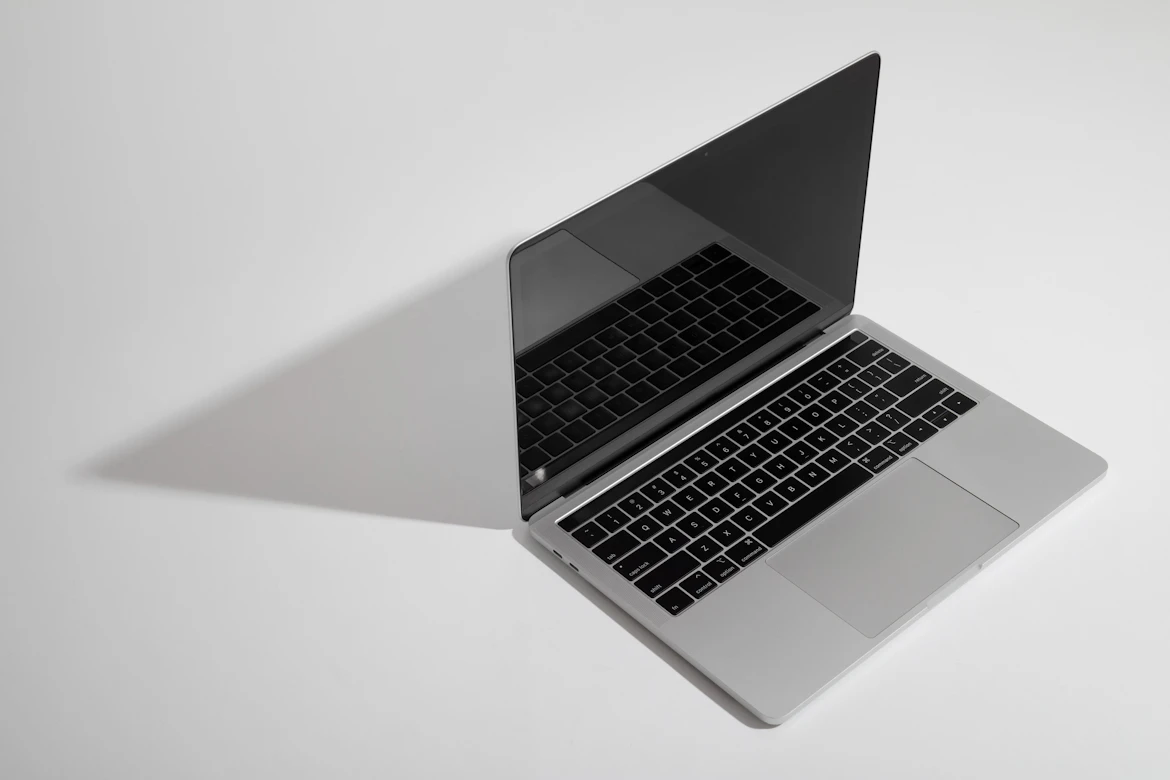
Apple has never had two laptops at such different price points that are still this hard to choose between. The MacBook Neo starts at $599 and the MacBook Air M5 opens at $1,099, and both are genuinely good machines. The real question is not which one is better on paper. It is which one makes sense for you.
This breakdown pulls from aggregated hands-on reviews, published benchmark data, and Apple's own spec sheets to give you an honest comparison across every category that actually matters.
MacBook Neo vs MacBook Air: Full Specs Comparison
| Feature | MacBook Neo (2026) | MacBook Air 13 M5 (2026) |
|---|---|---|
| Starting Price | $599 ($499 for students) | $1,099 |
| Chip | Apple A18 Pro | Apple M5 |
| CPU Cores | 6-core (2P + 4E) | 10-core |
| GPU Cores | 5-core | 10-core |
| Neural Engine | 16-core | 16-core |
| Unified Memory | 8GB (fixed) | 16GB (baseline) |
| Storage | 256GB / 512GB SSD | 256GB to 2TB SSD |
| Display Size | 13.0-inch | 13.6-inch |
| Resolution | 2408 x 1506 (219 ppi) | 2560 x 1664 (224 ppi) |
| Peak Brightness | 500 nits | 500 nits |
| Color Gamut | sRGB | P3 wide color |
| True Tone | No | Yes |
| Notch | No | Yes |
| Webcam | 1080p FaceTime HD | 12MP Center Stage |
| Ports | 2x USB-C + 3.5mm jack | MagSafe + 2x Thunderbolt 4 + 3.5mm jack |
| Backlit Keyboard | No | Yes |
| Battery Capacity | 36.5 Wh | 53.8 Wh |
| Video Streaming Battery | Up to 16 hours | Up to 18 hours |
| Wi-Fi | Wi-Fi 6E | Wi-Fi 6E |
| Bluetooth | 6.0 | 5.3 |
| Weight | 2.7 lbs | 2.7 lbs |
| Colors | Silver, Blush, Citrus, Indigo | Midnight, Starlight, Sky Blue, Purple |
Design and Build Quality
Both machines use Apple's aluminum unibody construction, and at 2.7 pounds, they weigh exactly the same. The difference is in how that weight is distributed and how the two machines feel in your hands day to day.
The MacBook Neo takes a slightly different design approach compared to what Apple has shipped before. It features curved edges and thinner bezels, and its display is completely notch-free, which makes it the first MacBook without a notch since the 13-inch MacBook Pro in 2022. The color-matched keyboard, ports, and feet across all four finishes (Silver, Blush, Citrus, and Indigo) give it a more playful, personalized look than any MacBook Apple has sold before.

The MacBook Air M5 retains the flat-edged unibody silhouette that has been Apple's signature design language since the M2 generation. It is a slightly larger machine at 13.6 inches, and reviewers across major publications describe its build as polished and premium. Neither laptop feels cheap; both are built to Apple's typical standard of construction.
One thing worth noting: the MacBook Neo does not include a Force Touch trackpad. It ships with a Multi-Touch trackpad, which covers all the basics but lacks the pressure-sensitive haptic feedback that Air and Pro owners are used to. For most people this will not matter. For anyone coming from a MacBook Air, it is something you will probably notice in the first few days.
Performance: A18 Pro vs M5
This is where the two machines genuinely diverge, and it is important to frame the gap correctly.
The MacBook Neo runs Apple's A18 Pro, the same chip powering the iPhone 16 Pro lineup. It is a 6-core CPU with 2 performance cores and 4 efficiency cores, paired with a 5-core GPU and a 16-core Neural Engine. Published benchmark data from MacRumors, Tom's Hardware, and Cult of Mac (March 2026) shows the Neo handling everyday workloads without any meaningful slowdown. Web browsing, email, productivity apps, video calls, and even light photo editing all run smoothly.
The MacBook Air M5 carries a 10-core CPU and a 10-core GPU. Independent test data from NanoReview and CNET shows approximately 72% better multi-core CPU performance in Cinebench 2024 compared to the Neo. That is a massive difference in heavy processing capabilities. If you are comparing high-end desktop hardware options instead, see our RTX 4090 vs RTX 5070 Ti comparison.
For everyday tasks, most users will not feel that difference. A review from iFeeltech (March 2026) puts it plainly: loading a webpage, joining a Zoom call, or opening a document produces no perceptible gap between these two machines. The gap becomes real under sustained multi-threaded workloads like long video exports, parallel development server environments, or running local AI models.
The M5 Air also runs at full performance on battery power, which published reviews confirm. The A18 Pro in the Neo does not have the same sustained headroom under heavy load.
One additional distinction that matters for developers and power users: the MacBook Air M5 ships with 16GB of unified memory as its baseline. The Neo is fixed at 8GB with no upgrade path. According to IT consulting data published by iFeeltech, a normal office workload in 2026 (browser tabs, Slack or Teams, a syncing cloud storage client, and a video call running simultaneously) actively pushes 8GB machines into swap usage. (For help checking your current machine's memory usage, read our guide on how to check RAM on PC).
Display Quality
On the surface, the two displays look similar. Both are Liquid Retina panels with IPS technology, both cap out at 500 nits of brightness, and both sit close in pixel density (219 ppi on the Neo vs 224 ppi on the Air).
The meaningful differences are in what is missing from the Neo's panel rather than raw resolution numbers.
The MacBook Neo's display covers sRGB color only. The MacBook Air M5 supports P3 wide color, which is the standard for professional photo and video work. The Neo also lacks True Tone, Apple's technology that adjusts color temperature based on ambient lighting. Reviewers from Macworld (April 2026) note these omissions as the most significant display trade-offs in the Neo at its price point.
The Air's display is also slightly larger at 13.6 inches vs 13.0 inches on the Neo, and the Air carries a notch housing a 12MP Center Stage webcam. The Neo has a notch-free display with a 1080p FaceTime HD camera, which is the same webcam resolution Apple has used across the MacBook range for years.
If your work involves color-accurate editing or you regularly use your laptop in different lighting conditions throughout the day, the Air's display is genuinely better. For everyday use, the Neo's panel is clean and sharp, and most users will be satisfied with it.
Ports and Connectivity
The port situation is one of the clearest differences between these two machines, and it matters more than it sounds.
The MacBook Neo ships with two USB-C ports. One supports USB 3 speeds up to 10Gb/s with DisplayPort 1.4. The other is USB 2.0, which is significantly slower. There is no MagSafe, no Thunderbolt 4, and no fast charging support. The Neo also supports Bluetooth 6.0.
The MacBook Air M5 has MagSafe for charging, two Thunderbolt 4 ports that handle data, display output, and high-speed peripherals simultaneously, and a 3.5mm headphone jack. Thunderbolt 4 opens up compatibility with a much wider range of docks, external GPUs, and high-resolution displays.
For a student using the laptop for coursework, the Neo's port selection works fine. For anyone managing external drives, studio monitors, high-speed peripherals, or a docking station setup, the Air's connectivity is meaningfully more capable.
Battery Life
Both laptops are marketed as all-day machines, but the underlying hardware tells a different story in actual usage.
The MacBook Neo carries a 36.5 Wh battery and Apple rates it at up to 16 hours of video streaming and 11 hours of wireless web browsing (tested on preproduction units in January 2026). The MacBook Air M5 carries a 53.8 Wh battery, roughly 47% larger, and is rated for up to 18 hours of video streaming.
In real-world use, reviewers across multiple outlets place both machines well into a full work day for typical usage. The Air's larger battery and the M5 chip's efficiency give it a clear edge under sustained heavier workloads. For lighter, everyday use, both will make it through the day without needing a charge.
Neither laptop supports fast charging in the traditional sense. The Neo has no MagSafe, so users charge via one of the two USB-C ports, which also limits the ability to charge and use external peripherals simultaneously without a hub.
Audio and Webcam
The MacBook Air M5 ships with a noticeably better speaker system than the Neo. Published reviews from BGR (2026) describe the Air's speakers as delivering reasonable spatial separation for casual listening. The MacBook Neo's dual-speaker system covers the basics but ranks below the Air in audio quality, particularly for music and video content.
The webcam gap is also real. The Neo uses a 1080p FaceTime HD camera. The Air uses a 12MP Center Stage camera with Desk View support, which tracks you automatically during video calls and offers a wider field of view. For anyone doing frequent video calls, the Air's camera is a genuine step up.
Software, Apple Intelligence, and macOS Support
Both laptops run the same macOS and both support Apple Intelligence features. The A18 Pro's 16-core Neural Engine handles on-device AI processing, and day-to-day Apple Intelligence tasks like writing tools, Smart Replies, and on-device summarization work on both machines without issue.
The performance gap becomes visible when running more demanding local AI inference, where the M5's architecture and the Air's 16GB of baseline RAM have a clear advantage. For standard Apple Intelligence features as most people will use them, both machines are competitive.
Who Should Buy the MacBook Neo
Based on aggregated reviewer consensus across Macworld, iFeeltech, CNET, BGR, and Tom's Guide, the MacBook Neo makes the most sense for:
- Students covering coursework, research, writing, and presentations who want a full macOS experience at a realistic price point.
- Parents buying a first laptop for a child or teenager.
- Newcomers to Mac: Anyone upgrading from a Chromebook or a budget Windows machine who wants to get into the Mac ecosystem. (For other ecosystem news, see our iPhone Fold leaks breakdown).
- Light everyday users whose workflow centers on browsing, streaming, communication apps, and Office-style productivity.
- Budget-conscious buyers: Anyone where budget is the deciding factor and paying $500 more for the Air is genuinely not an option.
The compromises are real but manageable for this audience: no backlit keyboard, a slower secondary port, no MagSafe, sRGB display, and a fixed 8GB of RAM. For everyday use, reviewers consistently describe the experience as on par with Apple's higher-end machines in actual feel and speed.
Who Should Buy the MacBook Air M5
The MacBook Air M5 makes more sense for:
- Advanced students: Students in design, STEM, software development, or media production who need headroom for heavier workloads.
- Developers & Power Users: Anyone running development environments, multiple servers, or processor-intensive tasks regularly.
- Desktop setups: Users who rely heavily on external displays, docking stations, or Thunderbolt peripherals.
- Creative professionals doing photo or video editing where P3 color accuracy matters.
- Long-term planners: Anyone who expects to keep this machine for five or more years and wants more long-term performance headroom.
- Frequent call participants: Anyone doing frequent video calls where camera quality is a meaningful part of their day.
CNET's review (2026) summarizes it well: the 13-inch Air is a fantastic pick for a small, higher-performance laptop, but it is no longer the recommended option for most students. That role now belongs to the Neo.
Price and Value
The MacBook Neo starts at $599 for the 256GB model and $699 for 512GB. Education pricing drops those to $499 and $599 respectively. Storage is not upgradeable after purchase, so buying the right configuration from the start matters.
The MacBook Air M5 starts at $1,099 for the 13-inch model with 16GB RAM and 256GB storage. The 15-inch M5 Air starts at $1,299 and adds a 10-core GPU.
At roughly half the price, the Neo offers a compelling value proposition for the right buyer. If you are on a tight budget for other tech as well, you can browse the best budget phones of 2026.
Verdict
The macbook neo vs macbook air decision comes down to one honest question: what are you actually going to use this laptop for?
For everyday tasks, light productivity, and getting into macOS for the first time, the MacBook Neo is one of the most impressive laptops Apple has shipped in years. Tim Cook described the Neo's launch as the best launch week ever for first-time Mac customers, and industry analysts have called it a genuine disruption to the affordable laptop market. Just as Samsung is disrupting the mobile space (read our Samsung Galaxy Z Fold 8 preview), Apple is shaking up entry-level computing.
For anyone who needs sustained performance, color-accurate display output, proper Thunderbolt connectivity, a larger battery, or is running workloads that will stress 8GB of RAM, the MacBook Air M5 is worth the extra investment.
Neither machine is a bad choice. They just serve different people, and Apple has finally priced them far enough apart to make the decision relatively clear.
Frequently Asked Questions
For most everyday users, yes. The MacBook Neo delivers the full macOS experience at $599, and aggregated reviews consistently describe its real-world speed as on par with Apple's pricier machines for typical tasks. If your work involves heavier creative or development workloads, the MacBook Air M5's stronger chip, 16GB RAM baseline, and Thunderbolt 4 ports make it the better long-term investment.
The most meaningful differences are RAM (8GB fixed on the Neo vs 16GB baseline on the Air), chip performance (A18 Pro vs M5), port selection (no Thunderbolt 4 on the Neo), and display quality (sRGB on the Neo vs P3 wide color on the Air). The price difference of $500 reflects all of these gaps combined.
No. The MacBook Neo ships without keyboard backlighting. This was one of Apple's cost-cutting decisions to hit the $599 price point. Multiple reviewers have noted that in practice it is less of an issue than expected for most users, but it is a real omission compared to every other current MacBook.
According to aggregated benchmark data and published reviews, the MacBook Neo handles light to moderate video editing reasonably well. Short 1080p timelines and basic color correction work without major issues. For serious 4K editing, multi-camera work, or anything requiring sustained processing over long sessions, the MacBook Air M5's stronger CPU and GPU, combined with 16GB of RAM, is a better fit.
For light everyday use, 8GB is workable. For a student writing papers, attending lectures, or managing basic productivity apps, it holds up. Published data from IT consulting sources notes that a standard modern office workload (browser tabs, a communication app, cloud sync, and a video call running together) can push 8GB machines into active swap usage. If that describes your day-to-day, the Air's 16GB baseline is worth the step up.
Yes. Both the MacBook Neo and the MacBook Air M5 support Apple Intelligence. The A18 Pro's 16-core Neural Engine handles on-device AI tasks including writing assistance, Smart Replies, and summarization. For more demanding local AI inference workloads, the M5's architecture and the Air's 16GB of RAM have a performance edge.
The MacBook Neo has two USB-C ports and a 3.5mm headphone jack. One USB-C port supports USB 3 speeds up to 10Gb/s with DisplayPort 1.4. The other is USB 2.0 only. There is no MagSafe, no Thunderbolt 4, and no HDMI. Anyone needing a wider selection of ports will want to add a USB-C hub.
Yes. The 13-inch Liquid Retina display at 2408 x 1506 with 219 ppi produces sharp, clean visuals for everyday use. The main limitations are the sRGB color space rather than P3 wide color and the absence of True Tone. For streaming, browsing, documents, and video calls, it looks great. For professional photo and video work where color accuracy matters, the MacBook Air M5's display is the better option.
For most students, the MacBook Neo is the recommended pick according to CNET and Macworld's 2026 analysis. At $499 with education pricing, it covers everything a typical student needs. Students in design, software development, or STEM fields who run heavier workloads should consider the MacBook Air M5 instead.
The MacBook Neo is available in four colors: Silver, Blush (light pink), Citrus (golden yellow), and Indigo (dark blue). The keyboard and feet are color-matched to the chassis on each finish, which gives the Neo a more distinctive look compared to previous MacBook designs.