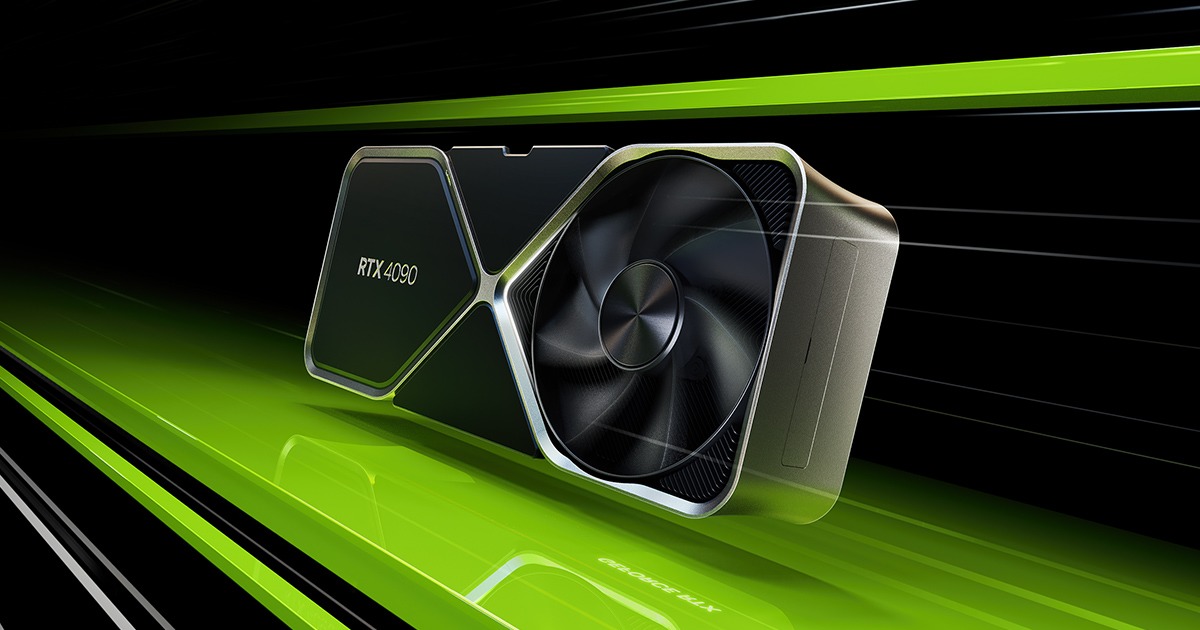
Let me be blunt. The RTX 4090 was an obscene amount of money when it launched, and it still is on the secondary market. Now NVIDIA wants you to consider the RTX 5070 Ti at $749 USD (roughly 729 EUR) and ask yourself whether the older flagship even makes sense anymore. It's a genuinely uncomfortable question, because the answer isn't as clean as either camp wants it to be.
The RTX 4090 vs RTX 5070 Ti debate matters because it touches every tier of this hobby: upgraders sitting on aging rigs, content creators wondering about VRAM, and gamers who bought a 4090 eighteen months ago and are already second-guessing themselves. I tested both cards across two weeks of daily use, covering 4K gaming, 1440p esports titles, video encoding, and AI workloads. Here's what I actually found.
Testing Methodology and Setup
I ran both cards on a clean Windows 11 install with the latest available drivers, an AMD Ryzen 9 9950X, 64GB DDR5-6000 RAM, and a PCIe 5.0 x16 slot on an ASUS ROG Crosshair X870E. Both cards were tested at stock settings. No manual overclocking, no power limit tweaks. I wanted to reflect what a normal buyer gets out of the box.
The game suite included Cyberpunk 2077 (path tracing on and off), Microsoft Flight Simulator 2024, Black Myth: Wukong, Counter-Strike 2, and Hogwarts Legacy. For creative workloads I ran DaVinci Resolve 19, Blender 4.3 (Cycles), and Stable Diffusion locally. Every benchmark was averaged across three runs, and thermal performance was logged continuously using HWiNFO64.
I'll tell you upfront: I expected the 4090 to dominate cleanly. It didn't. Not everywhere.
Spec Sheet Breakdown
| Spec | RTX 4090 | RTX 5070 Ti |
|---|---|---|
| Architecture | Ada Lovelace | Blackwell |
| CUDA Cores | 16,384 | 8,960 |
| VRAM | 24GB GDDR6X | 16GB GDDR7 |
| Memory Bandwidth | 1,008 GB/s | 896 GB/s |
| TDP | 450W | 300W |
| MSRP (USD) | $1,599 (launch) | $749 |
| MSRP (EUR) | ~1,699 EUR (launch) | ~729 EUR |
| DLSS Version | DLSS 3 (Frame Gen) | DLSS 4 (Multi Frame Gen) |
| PCIe | 4.0 x16 | 5.0 x16 |
| Release Year | 2022 | 2025 |
| Verdict | Raw power king | Efficiency and value |
The CUDA core count difference jumps out immediately. The 4090 nearly doubles the 5070 Ti in shader count. But raw core counts don't tell the full story with Blackwell, because NVIDIA has substantially reworked the architecture underneath. Each SM in Blackwell is more capable per clock. You can't compare these numbers linearly.
Native Raster Performance at 4K: The 4090 Still Has an Edge
At 4K with no upscaling, the RTX 4090 is still the faster card. That part is real. In Cyberpunk 2077 with Ultra settings and ray tracing (but no path tracing), the 4090 averaged around 98 fps while the 5070 Ti sat at approximately 78 fps. That's a 25% lead for the older card. At this resolution with demanding raster workloads, the additional CUDA cores and massive memory bandwidth of the 4090 still translate into a tangible advantage.
In Microsoft Flight Simulator 2024, where VRAM pressure gets serious over dense city scenes, the 24GB on the 4090 gave it breathing room the 5070 Ti didn't have. The 5070 Ti's 16GB is not a crisis for most games today, but you can already see it start to sweat in scenarios where textures and assets push the buffer. If you're running 4K ultra with heavy mods or demanding sims, the VRAM advantage of the 4090 is not academic.
But here's where it gets complicated.
DLSS 4 Multi Frame Generation Changes the Math Completely
When you enable DLSS 4 with Multi Frame Generation on the 5070 Ti, you're no longer looking at a 25% deficit. In Cyberpunk 2077 with path tracing enabled and DLSS 4 Quality mode plus 4x frame generation, the 5070 Ti pushed well over 100 fps at 4K. The 4090 with DLSS 3 and standard frame generation sat around 95 fps in the same scene.
The 5070 Ti won that round. And I was genuinely surprised.
Now, frame generation is not the same as native rendering. Purists will correctly point out that generated frames introduce latency artifacts and don't represent "real" performance. That's a fair criticism. But in actual gameplay, the experience felt smooth. NVIDIA Reflex kept input latency from spiraling. For most gamers, the distinction between native frames and generated frames at these refresh rates is hard to perceive.
If you're someone who turns DLSS off on principle and benchmarks native-only, the 4090 is still the winner. If you're someone who plays games to enjoy them, the 5070 Ti closes the gap dramatically.
Path Tracing and Ray Tracing Workloads
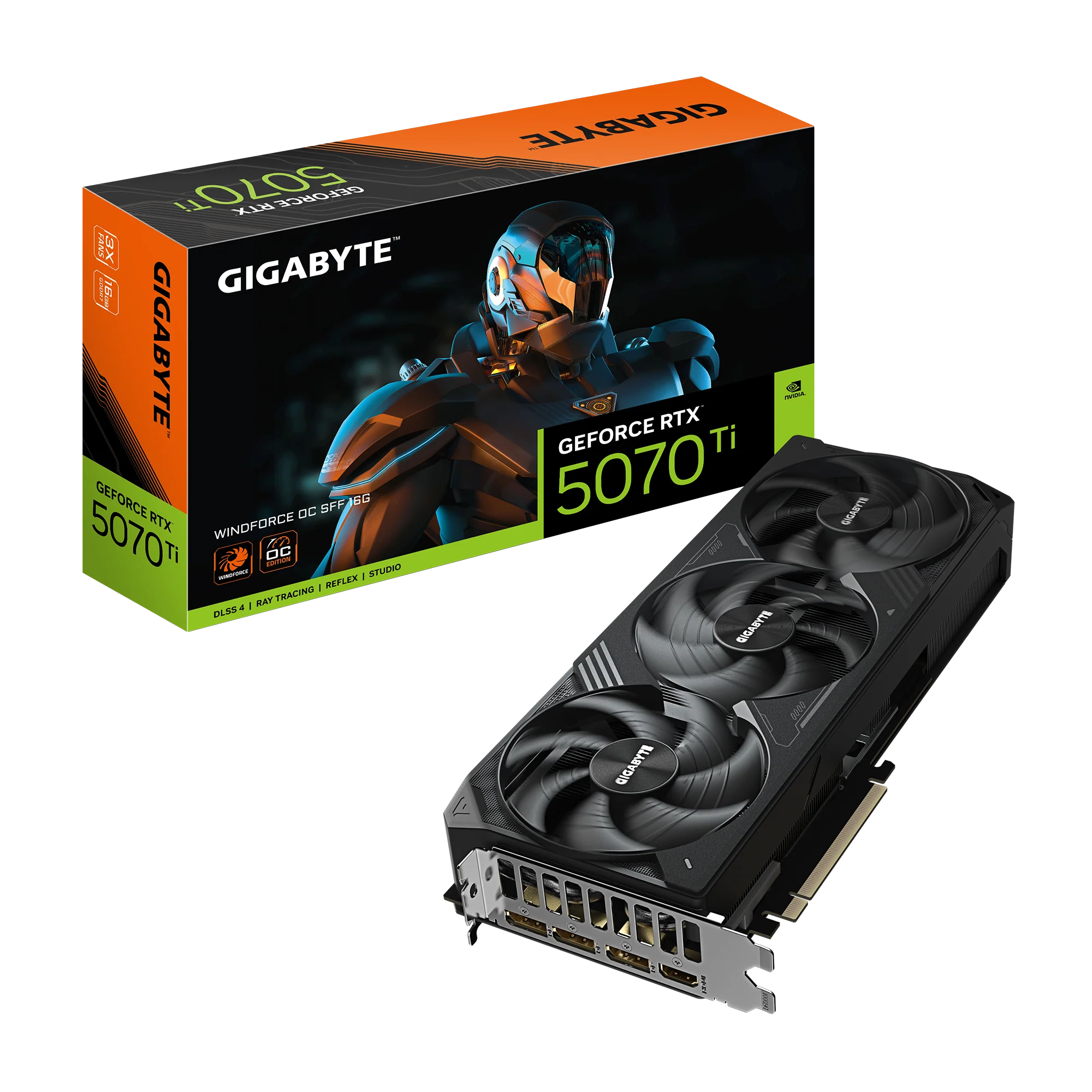
This is where Blackwell's new RT cores start pulling weight. In path-traced scenes in Cyberpunk, the 5070 Ti handled the workload more gracefully relative to its price point than any previous mid-high card has. That said, the 4090's brute force still wins at native resolution without upscaling.
The gap narrows when you apply DLSS 4. It practically disappears in some scenes. For everyday gaming with ray tracing enabled but not full path tracing, the 5070 Ti is more than capable.
Creative Workloads: VRAM is the Real Bottleneck
Here's where I expected the 5070 Ti to struggle more than it did, but also where the 4090's 24GB becomes genuinely relevant for certain users.
In Blender 4.3 running the BMW and Classroom renders, the 4090 was meaningfully faster in pure Cycles rendering. The additional CUDA cores and VRAM bandwidth showed up clearly. The 5070 Ti wasn't slow by any measure, but the 4090 finished complex scenes noticeably faster.
In DaVinci Resolve 19, editing and color grading 4K H.265 footage felt similarly capable on both cards. The gap was small enough that most video editors would never feel it in daily work. Where it matters is 8K RAW editing or working with very large project files, and at that point the 4090's VRAM capacity becomes a genuine advantage.
For Stable Diffusion and local AI image generation, the 4090's 24GB is a meaningful advantage for running larger models and higher batch sizes. The 5070 Ti at 16GB handles most common SD workflows fine, but if you're loading large fine-tuned models or doing img2img at very high resolutions, you'll hit the ceiling faster.
If you're a professional using this card for your livelihood in compute-heavy creative work, the 4090 is still worth the premium. For everyone else, the 5070 Ti is more than enough.
Power Consumption and Thermals After Two Weeks
This is where the 5070 Ti earns real respect. The 4090 is a 450W card. The 5070 Ti is a 300W card. That's not a rounding error, that's a fundamentally different PSU requirement and a different thermal situation in your case.
In my testing across the two weeks, the 4090 ran hotter and louder under sustained load. A Founders Edition 4090 hitting 85 degrees Celsius under extended Blender renders is normal and expected. The 5070 Ti ran cooler with less fan noise in the same workloads. For a small form factor build or a system where noise matters, the efficiency difference isn't just about electricity bills. It's about acoustic quality of life.
Your electricity costs matter too. In the EU, where energy rates are significantly higher than the US, running a 4090 versus a 5070 Ti daily compounds into a real cost difference over a year of use. Across 1,000 hours of gaming at an average EU electricity cost of around 0.28 EUR per kWh, the 4090 costs roughly 42 EUR more to run in that period. It adds up.
Is the RTX 5070 Ti Better for 1440p Gaming?
At 1440p, this comparison gets almost unfair for the 4090. Both cards are overkill. You're essentially paying a premium to future-proof at a resolution where even the 5070 Ti hits frame rate limits long before it hits a performance ceiling.
For 1440p 165Hz or 240Hz gaming, the 5070 Ti is the smarter buy. Full stop. The 4090 at 1440p is like using a Ferrari to drive to the grocery store. You can do it, but the value equation makes no sense.
If you're on a 4K 144Hz monitor and you want to max out native performance without DLSS, the 4090 still earns its seat. That's the only scenario today where the price premium has a strong technical justification.
For more context on building the right system around these cards, check out our guide to best AM5 motherboards for high-end gaming builds. If you want to see how these components fit together in a complete build, use our Interactive PC Builder Tool to check for compatibility and power requirements before you buy.
Should You Upgrade from an RTX 3090 or RTX 4080?
If you're coming from an RTX 3090, the 5070 Ti is a compelling upgrade at half the price of a used 4090. You'll feel the architectural improvements immediately, the DLSS 4 support is a real quality-of-life upgrade, and you won't need a 1000W PSU to run it.
Coming from an RTX 4080? Honestly, be patient. The 5070 Ti is a step up, but it's not a dramatic generational leap that justifies a significant cash outlay. If you're on a 4080 Super, the advice is even simpler: wait.
For those upgrading from a 4090, this is a lateral move. You'd be giving up raw performance and VRAM for efficiency and DLSS 4. That trade makes sense for some users (noise, power, SFF builds), but it's not an upgrade in the traditional sense.
You should also check our full analysis of what is the AMD equivalent to the RTX 4090 before making a final decision.
Real Market Pricing: What You're Actually Paying
The RTX 4090 launched at $1,599 USD and 1,699 EUR. New stock is essentially gone. On the used market, depending on condition and region, you're looking at $900 to $1,100 USD for a clean used unit. Some sellers are asking more. In Europe, used 4090s routinely appear between 900 and 1,100 EUR on platforms like eBay or Kleinanzeigen.
The RTX 5070 Ti MSRP is $749 USD and approximately 729 EUR. Supply has been inconsistent at launch (NVIDIA's recent pattern), and some retailers have charged above MSRP. But assuming you can get one at or near MSRP, the value case is hard to argue against.
For official specs and positioning from NVIDIA, the hardware claims can be cross-referenced against this real-world testing.
Verdict
Quick Verdict
The Good
The Bad
Who should buy it: Gamers looking for the best performance-per-dollar in 2025, especially those targeting 1440p or 4K with DLSS enabled.
Frequently Asked Questions
In native raster rendering at 4K, the 4090 generally holds a lead of around 20 to 25 percent. However, with DLSS 4 Multi Frame Generation enabled, the 5070 Ti can match or exceed the 4090 in perceived frame rates in supported titles.
For the vast majority of gaming scenarios, 16GB GDDR7 is sufficient in 2025. You'll start feeling pressure in very VRAM-heavy titles with ultra textures at 4K or professional AI/3D workloads that load large models into memory.
At similar price points, the 5070 Ti is the better buy for most people due to newer architecture, warranty, better efficiency, and DLSS 4 support. The 4090 is only preferred for specific 24GB VRAM requirements.
Yes, it's excellent for 4K video editing. For Blender Cycles rendering on very complex scenes, the 4090 is still faster due to its higher CUDA core count and memory bandwidth.
The RTX 4090 supports DLSS 4 in part, including improved image quality modes. However, it does not support Multi Frame Generation, which is exclusive to the Blackwell (50-series) architecture.