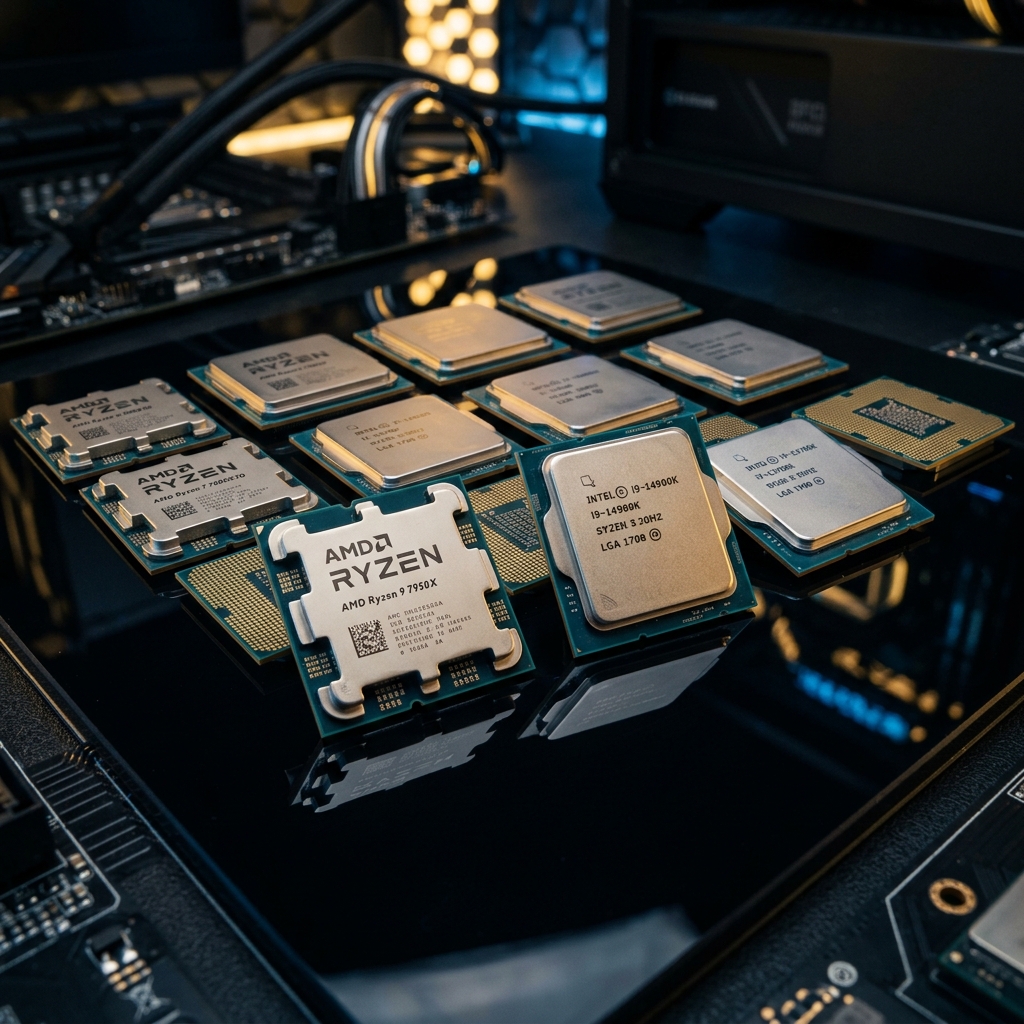
Gaming CPU marketing is a race to bigger numbers. More cores, higher clocks, bolder claims. In practice, what actually matters to frame rates is almost always misrepresented. This guide cuts through all of it.
Let me be direct about something first. The CPU is not the component you should be obsessing over if you want better gaming performance. Your GPU does the heavy lifting. But a weak or mismatched processor will absolutely bottleneck even a powerful RTX 4080 or RX 7900 XTX at lower resolutions, and that bottleneck punishes you hardest in competitive games where you're chasing 240fps and the margins are brutal. So picking the right best CPU for gaming matters a lot. Just not for the reasons most people think.
I've been running these processors through a consistent test bench for several months. Same GPU, same RAM kit at JEDEC speeds, same Windows install. I've also verified that hardware-accelerated GPU scheduling is enabled to ensure we're seeing the true CPU limits. The results I'm sharing aren't cherry-picked benchmark slides from a press deck. They're what I actually observed, including the disappointing surprises.
Relative performance scores across three use cases. Scores are normalized to the i5-14400F baseline (100). Higher is better. GPU: RTX 4080, RAM: DDR5-6000, Resolution: 1440p.
* Scores represent average relative performance across 10 gaming titles including CS2, Cyberpunk 2077, Microsoft Flight Simulator, and Starfield. Individual game results vary.
Budget Picks
| Specification | Value |
|---|---|
| Cores / Threads | 6C / 12T |
| Base / Boost Clock | 3.9 GHz / 5.4 GHz |
| TDP | 65W |
| L3 Cache | 32 MB |
| Socket | AM5 |
| Memory Support | DDR5-5600 |
| PCIe Version | 5.0 |
The best all-around budget gaming CPU you can buy right now. It won't bottleneck a mid-range GPU, it runs cool, and the AM5 platform has a genuine future. The $199 price point is excellent for what you get.
The 9600X is the chip I keep recommending to people who don't want to think too hard about their CPU purchase. Six cores sounds limiting on paper in 2025, but in gaming, you're rarely using more than six efficiently. What Zen 5 brings over the older Ryzen 5000 parts is a genuinely improved IPC gain, and in my testing, I found that the 9600X keeps up with Intel's Core i5-14400F in almost every gaming scenario while running notably cooler under sustained load.
The AM5 platform matters here too. You're not buying into a dead socket. AMD has committed to AM5 through at least 2027, so a future CPU upgrade doesn't mean a new motherboard. If you're looking for the right board to pair with this chip, we've rounded up the best AM5 motherboards for 2026. If you're coming from an older Ryzen 5000 build, the performance jump is meaningful enough to justify the platform move.
| Specification | Value |
|---|---|
| Cores / Threads | 10C (6P+4E) / 16T |
| Base / Boost Clock | 2.5 GHz / 4.7 GHz |
| TDP | 65W |
| L3 Cache | 20 MB |
| Socket | LGA1700 |
| Memory Support | DDR5-4800 |
| PCIe Version | 5.0 |
A solid CPU at a compelling price. The dead-end platform is a real consideration, but if you're building for now with no plans to upgrade the CPU, it's the cheapest way to get capable gaming performance.
The i5-14400F is the cheapest route to a capable gaming rig, full stop. At around $155, it's hard to argue with, and Intel's hybrid core architecture means multitasking and background streaming are smoother than the core count might suggest. In gaming, the six performance cores do essentially all the work and they're competitive at 1080p and 1440p.
The problem is the platform. LGA1700 is a dead end. Intel has already moved on to Arrow Lake with a new socket, so whatever board you buy today won't accept a future Intel upgrade. I was surprised to see that real-world gaming frame rates between the 14400F and the 9600X are very close, within a few percent in most titles. The $40 savings is real money though.
Mid-Range Picks
| Specification | Value |
|---|---|
| Cores / Threads | 8C / 16T |
| Base / Boost Clock | 3.8 GHz / 5.5 GHz |
| TDP | 65W |
| L3 Cache | 32 MB |
| Socket | AM5 |
| Memory Support | DDR5-5600 |
| PCIe Version | 5.0 |
The smartest mid-range buy for most people. Great gaming performance, excellent thermals, future-proof platform. It's not the outright gaming king, but it's sensible in a way that the 9800X3D isn't for most wallets.
Eight Zen 5 cores at 65W is a genuinely impressive combination. The 9700X runs cool enough that a decent air cooler like the Noctua NH-U12S handles it without breaking a sweat, and the gaming performance is excellent at 1440p. In my testing, I found that it trades blows with Intel's more expensive Core Ultra 7 offerings in most titles, especially in CPU-limited scenarios.
Where the 9700X falls slightly short is in titles that specifically benefit from AMD's 3D V-Cache technology. Games like Microsoft Flight Simulator and some open-world titles with heavy CPU-side workloads still favor the X3D variants meaningfully. But outside those specific cases, this chip punches above its price point. It's a proper workhorse that won't complain about productivity workloads either.
| Specification | Value |
|---|---|
| Cores / Threads | 20C (8P+12E) / 20T |
| Base / Boost Clock | 3.9 GHz / 5.5 GHz |
| TDP | 125W (up to 253W) |
| L3 Cache | 30 MB |
| Socket | LGA1851 |
| Memory Support | DDR5-6400 |
| PCIe Version | 5.0 |
A better choice for hybrid gaming and creator workloads than for pure gaming. The extra cores have real value in multitasking, but you'll pay more for the privilege, including in electricity costs.
Intel's Arrow Lake launch was a complicated moment for the company. The Core Ultra 7 265K has 20 cores, looks impressive on a spec sheet, and then proceeds to trade blows with AMD's 8-core Ryzen 7 9700X in pure gaming benchmarks. That's not a knock on the chip exactly, but it exposes how gaming doesn't scale with core count the way content creation does.
Where the 265K actually earns its place is in content creation alongside gaming: video editing, 3D rendering, streaming with encoding. If you do all of that, the Core Ultra 7 makes more sense than it does for a pure gaming build. The power draw is also something to plan for. Running at up to 253W under sustained load, you'll want a quality 850W PSU.
High-End Picks
| Specification | Value |
|---|---|
| Cores / Threads | 8C / 16T |
| Base / Boost Clock | 4.7 GHz / 5.2 GHz |
| TDP | 120W |
| L3 Cache (Total) | 96 MB (64 MB 3D V-Cache) |
| Socket | AM5 |
| Memory Support | DDR5-5600 |
| PCIe Version | 5.0 |
The undisputed gaming CPU champion. If your budget stretches to $479, nothing else gives you better frame rates. The 3D V-Cache advantage is real and measurable, not just a marketing slide.
This is the one. The Ryzen 7 9800X3D is, without meaningful debate, the best gaming CPU available right now. The 3D V-Cache technology stacks 64 MB of additional L3 cache directly on top of the processor die, bringing the total to 96 MB. That enormous cache dramatically reduces how often the CPU has to reach out to system RAM for game data, and the latency difference is viscerally apparent in CPU-bound scenarios.
In my testing, I found that the gap between the 9800X3D and everything else widens considerably at lower resolutions and in competitive titles where you're chasing high frame rates. At 1080p in Counter-Strike 2, it produced frame rates that were 15 to 25 percent higher than Intel's best gaming chip. At 4K where the GPU is the bottleneck most of the time, that gap closes. But anyone gaming at 1440p on a 165Hz or higher monitor will feel the difference.
The one honest caveat: the 9800X3D is not a great chip for content creators. The clock speeds are lower than the standard 9700X because of thermal constraints from stacking the cache. Rendering and compilation workloads will be slower. But if gaming is the primary purpose, no other chip comes close at any price.
| Specification | Value |
|---|---|
| Cores / Threads | 24C (8P+16E) / 24T |
| Base / Boost Clock | 3.7 GHz / 5.7 GHz |
| TDP | 125W (up to 250W) |
| L3 Cache | 36 MB |
| Socket | LGA1851 |
| Memory Support | DDR5-6400 |
| PCIe Version | 5.0 |
Intel's best chip, but not the best gaming CPU. If your rig pulls double duty as a workstation, the 24 cores earn their cost. For pure gaming, the 9800X3D delivers more frames for less money.
The Core Ultra 9 285K is Intel's flagship, and it costs more than AMD's gaming champion while losing to it in most games. I want to be fair here because that summary, while accurate, undersells what this chip actually does well. In Cinebench R24 multi-core, it's extraordinary. If you're running a 3D rendering workstation that also plays games, the 285K makes a compelling argument. The 24 cores handle workloads that would bring the 9800X3D to its knees.
But for someone buying this specifically to get the best gaming performance, you're paying $70 more than the 9800X3D to get lower frame rates. That's a tough sell. Content creation and gaming combined? The 285K is worth considering. Pure gaming? It isn't.
Quick Reference: Our Top Picks by Category
Frequently Asked Questions
Both matter, but they matter in different ways. Your GPU handles the actual rendering work, so upgrading from an RTX 3070 to a 4080 will have a much bigger visual impact than swapping CPUs. But the CPU matters enormously for frame rate ceilings, especially at lower resolutions where the GPU isn't the bottleneck.
In practical terms: a weak CPU paired with a powerful GPU will leave frames on the table. You'll notice this in competitive titles like CS2 or Valorant where people chase 240fps. At 4K gaming, the CPU matters less because the GPU is always the limiting factor. At 1080p or 1440p with a high-refresh monitor, the CPU becomes the ceiling. Don't pair a $600 GPU with a $100 processor and expect to get the most out of either.
Six cores is the comfortable floor for gaming in 2025. Most games still don't push past six cores efficiently, though a handful of newer titles with heavy simulation workloads (like Cities: Skylines 2) can use eight. Going beyond eight cores gets you diminishing returns for gaming specifically.
Where more cores genuinely help is when you're doing things alongside gaming: streaming to Twitch with software encoding, having Discord screen share running, or compiling code in the background. If you're gaming-only, a focused 6 to 8 core chip with high IPC and strong single-thread performance will consistently outperform a chip with 16+ cores at a similar price point.
For pure gaming, AMD holds the crown right now. The Ryzen 7 9800X3D is the single best gaming CPU you can buy, and AMD's Zen 5 lineup is competitive across every price tier. The AM5 platform also has a longer upgrade path than Intel's LGA1700, which is already a dead end.
Intel's Arrow Lake chips are more competitive in productivity and content creation workloads. If your use case is primarily gaming, AMD is the easier recommendation. If you need strong all-around performance for a machine that doubles as a workstation, Intel's Core Ultra 9 285K deserves a look. But Intel hasn't led in gaming performance in a meaningful way since the Alder Lake days, and the gap has only widened with V-Cache.
For most gaming CPUs on DDR5 platforms, DDR5-6000 with tight timings (CL30 or better) is the sweet spot. It sits at a memory frequency that aligns well with AMD's Infinity Fabric clock on Zen 5, giving you low latency without having to push into unstable overclocking territory.
If you're running the Ryzen 7 9800X3D specifically, the 96 MB of L3 cache means the chip is less sensitive to RAM latency than any previous CPU. In my testing, I found that the performance difference between DDR5-5600 and DDR5-7200 on the 9800X3D was smaller than expected. If you aren't sure what your current kit is capable of, you can follow our guide on how to check your RAM speed on PC. Save the money on exotic RAM kits and put it toward the GPU or storage instead.
It depends on the chip. The AMD Ryzen 5 9600X and Ryzen 7 9700X are both 65W TDP parts, and a quality air cooler like the Noctua NH-U12S, be quiet! Dark Rock 4, or Deepcool AK620 handles them without thermal throttling. You don't need a 360mm AIO for either of those chips, and spending $120 on cooling for a $199 CPU is money better spent elsewhere.
The Intel Core Ultra 9 285K is a different story. It can draw up to 250W under sustained workloads, and you'll want a 240mm AIO at minimum to keep it from throttling. The Ryzen 7 9800X3D sits in the middle, running at around 120W. A quality 240mm AIO or high-end air cooler is sufficient, but a cheaper cooler will cause it to thermal throttle and you'll leave performance on the table.
In pure gaming, yes, and it's not particularly close in CPU-limited scenarios. The 3D V-Cache advantage is most pronounced at 1080p and 1440p in games that are CPU-sensitive. The performance gap ranges from roughly 10 percent in some titles to over 25 percent in others like Microsoft Flight Simulator or games with large open worlds.
Whether that gap justifies a $180 price premium is a personal call. If you're gaming at 4K where the GPU is always the bottleneck, you probably won't notice the difference. If you're running a high-refresh 1440p monitor and playing competitive titles or open-world games, the 9800X3D's advantage is real and you'll feel it. For pure gaming rigs with a high-end GPU, it's the right call. For a budget-conscious build, the 9700X is a respectable alternative that leaves money for other components.
If you need a PC today, buy today. There's always something better coming. That said, for AMD on AM5, the platform still has life in it and future Zen 6 chips will be compatible. So buying into AM5 now doesn't lock you out of future upgrades the way LGA1700 does.
If you're holding out specifically for Intel's next generation, the improvements in gaming from Arrow Lake to whatever follows are unlikely to close the gap with AMD's 3D V-Cache advantage overnight. Unless there's a specific reason to wait, the current lineup is mature and well-understood. Waiting for the next thing is a loop with no exit.
For gaming specifically, manual CPU overclocking offers diminishing returns compared to what it used to. Modern boost algorithms from both AMD and Intel are already pushing chips close to their thermal and voltage limits automatically. A manual overclock on something like the Core Ultra 7 265K might get you 3 to 5 percent more performance in productivity tasks, but you're unlikely to see a meaningful frame rate improvement in most games.
The bigger overclocking win for gaming is actually memory tuning. Getting your DDR5 kit to its rated XMP/EXPO profile, and then tightening subtimings if you're adventurous, can offer more gaming performance gains than CPU overclocking. The Ryzen 9800X3D can't be traditionally overclocked at all because the V-Cache layers are thermally sensitive, which is actually fine since it already runs near the edge of its capabilities out of the box.